A short commentary on OpenAI.
OpenAI released its first public API for its models in June 2020. Honestly, I didn't know, or rather was not even able to comprehend, what I could do with it, or that it would become the next big thing.
By November 2022, with the public launch of ChatGPT, it became the sensation and talk of the town. It became something that you can equate with the breakthrough of personal and mobile computing. No one could have foreseen that it would create the multi-billion-dollar opportunity that it has created today. Mobile devices were similar; they delivered behemoths in ride-hailing, quick-commerce, and social media.
I come from a mobile app development background, and it felt like the start of something similar.
Playing with it.
I started running some experiments with the text generation models davinci, ada, babbage using the OpenAI APIs and the free credit that came along with them. They were decent at generating English sentences, but I felt that they were still not up to the mark at understanding intent; the generated text felt very forced.
In March 2023, OpenAI released the gpt-3.5-turbo and Whisper APIs. I observed that the text output had drastically improved. Also, by this time I had figured out a good use case to build.
Finding the use case.
My wife was working as a teacher at that time; she was a PYP homeroom teacher. Along with regular coursework, she had to write student reports every semester. As a PYP homeroom teacher, she taught 3 subjects, and she had to write 4 reports (3 subjects, 1 general) for each student in her class. She had 25 kids, so in total she was writing 4 * 25 = 100 reports each semester. She would spend time after working hours finishing these reports, and the work would stretch across 10 days. What I also learned was that, because of coursework-related pressure, most teachers would just maintain and edit report templates. This made all the reports generic, and they sounded the same for all the students. I thought this would be a good use case: generating a personalized report for each student.
Building the report generation tool.
By this time, OpenAI had a good API spec and SDK as well. I selected my tech stack: Django, PostgreSQL for the backend and database, and a Chrome extension for the frontend. I selected Django because the OpenAI Python SDK was available. I wanted to run an embedded UI on top of her portal where I could read some student info like first name, gender, subject and grade, and a Chrome extension was well suited for this. On the Django side, I had to figure out how to integrate the OpenAI SDK, how to set the system and user roles, and how to generate and apply the system prompt.
# using chat completion method and setting up roles
def prompt_open_ai(formatted_prompt):
    try:
        response = client.chat.completions.create(
            model="gpt-3.5-turbo",
            messages=[
                {"role": "system", "content": "You are a helpful teaching assistant."},
                {"role": "user", "content": formatted_prompt},
            ]
        )
        feedback_text = response.choices[0].message.content
        return feedback_text
    except Exception as e:
        print(e)
        raise e
When I discussed this with my wife, she suggested adding a dictation feature. She felt that she would be more comfortable dictating the report, and that it would be faster than typing. Thankfully, the OpenAI SDK had support for the whisper model, which was good at transcribing. Now, with her feedback and my tech stack in place, I started working on the Chrome extension.
To use it, she would open the portal, go to the student report page, and right-click on the text field where she had to type/insert the report text. Right-clicking gave an extra menu option, inject-text, which launched the Chrome extension.
The first version of the Chrome extension looked like this:
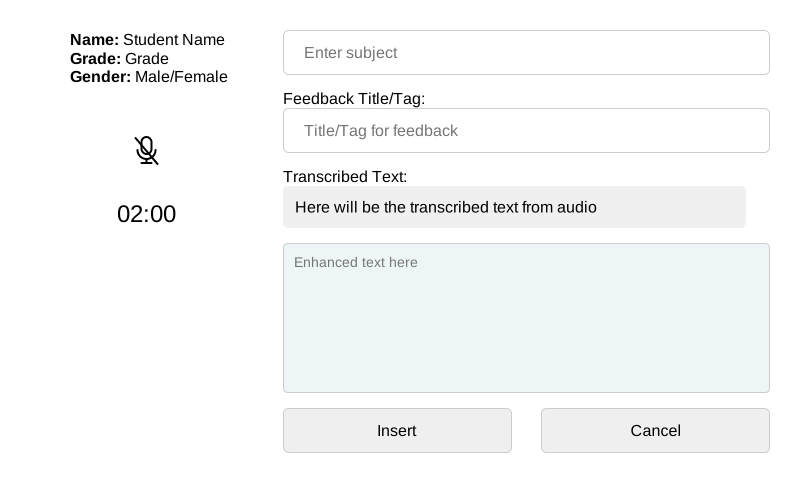
She had to enter a few details and click the mic button to start and stop recording. The Chrome extension had two important files: content.js, responsible for rendering the UI and interacting with the user, and background.js, responsible for all network calls.
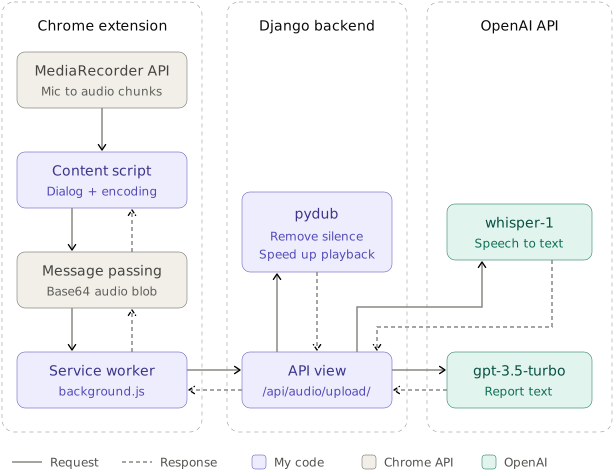
content.js recorded the audio using the MediaRecorder API, converted the audio blob into a base64 string, and passed it to background.js to upload to my Django backend. I added a limit of 2 minutes to the recording. It was configurable, but practically speaking, even 2 minutes is a lot if you have to speak continuously.
In background.js, the base64 string is converted back to an audio blob and uploaded to TRANSCRIBE_URL, which is the Django endpoint for audio uploads.
On the Django side, I transcribed the audio with the OpenAI SDK via the whisper-1 model and generated the feedback from the transcribed text with the gpt-3.5-turbo model.
Overall, the output was good, and the whole system worked properly, but we discovered some challenges when my wife started using it for actual work.
When you have to think and speak, the audio has a lot of silent pockets and a lot of filler words. OpenAI charges per minute for transcription. So if I ever launched it for other teachers, audio transcription could prove costly and inefficient.
So I added an audio pre-processing step to the transcription pipeline. Using the pydub Python package, I added a first pass to remove silence from the audio, and I also experimented with playback speed. Surprisingly, the whisper-1 model was able to transcribe the audio at 1.5x the original speed with really good accuracy. I felt like I had found the solution and added both steps to my transcription pipeline.
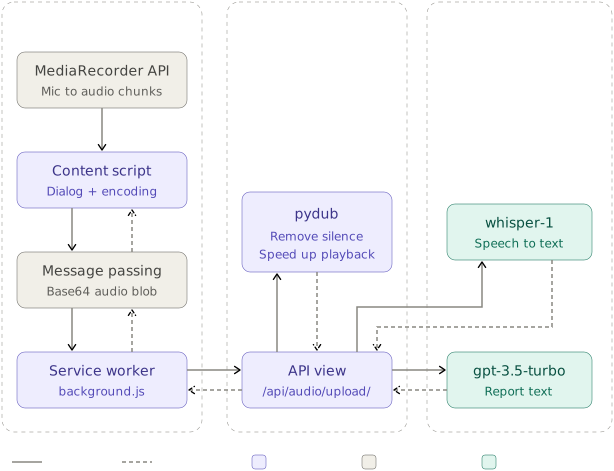
Overall, the system looked like this:
I was able to speed up the text generation, but I figured that dictation was still a bottleneck. I saw that she was still taking long pauses while dictating, because she had to be careful with her words and keep the report constructive for her students. I felt she was being extra careful.
So I took over as product owner :) and suggested that we convert the whole thing into a text-based system. I told her that I'd implement an auto-complete feature so that she would have to type less, which would eventually reduce her effort.
To implement this feature, I asked her to give me all the previous reports/feedback that she had written for her past students. She provided the reports, which were written subject-wise. I used them to extract keywords, and I grouped the keywords by sentiment: positive, negative, neutral. So now I had a list of keywords per subject, arranged by sentiment.
Next, I revamped the Chrome extension UI, and it started to look like this: 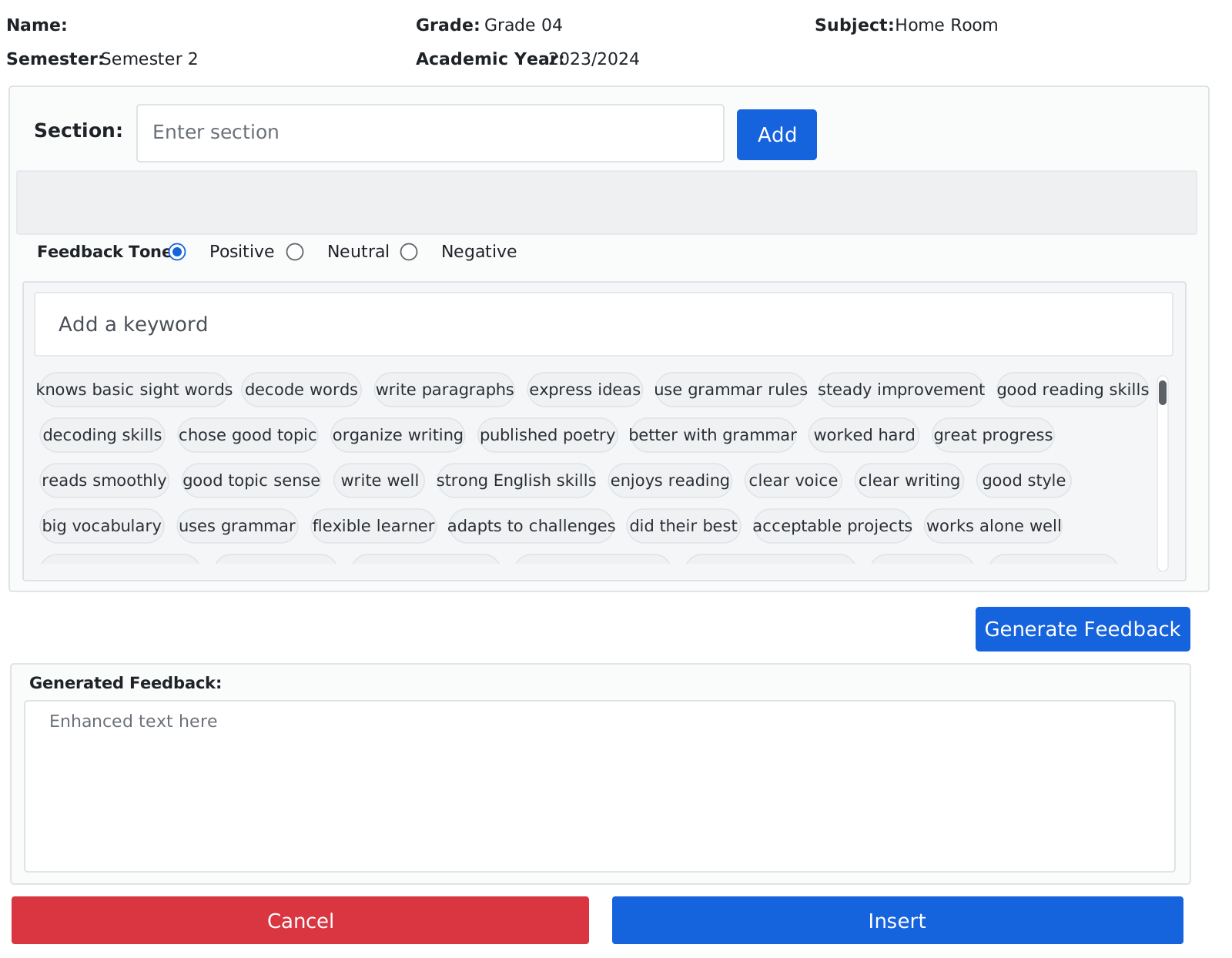
The UI now showed the keywords related to the subject. She could find or add a keyword by typing in the Add a keyword text field, and she could also select keywords by sentiment. It also supported sections, so she could break down subjects. For example, English could be broken down into Reading, Writing, Speaking, and Listening.
Keywords got filtered as she typed in the text field. With all these changes, she found the keywords faster and compiled the required set of keywords to generate the report. The final report was shown in the Enhanced text here text field, where she had the liberty to modify the generated text. This change let her finish all the report writing within 2 days.
So I ended up building a CRUD app on top of the LLM APIs provided by OpenAI. It was a good experiment, and the final system looked like this:
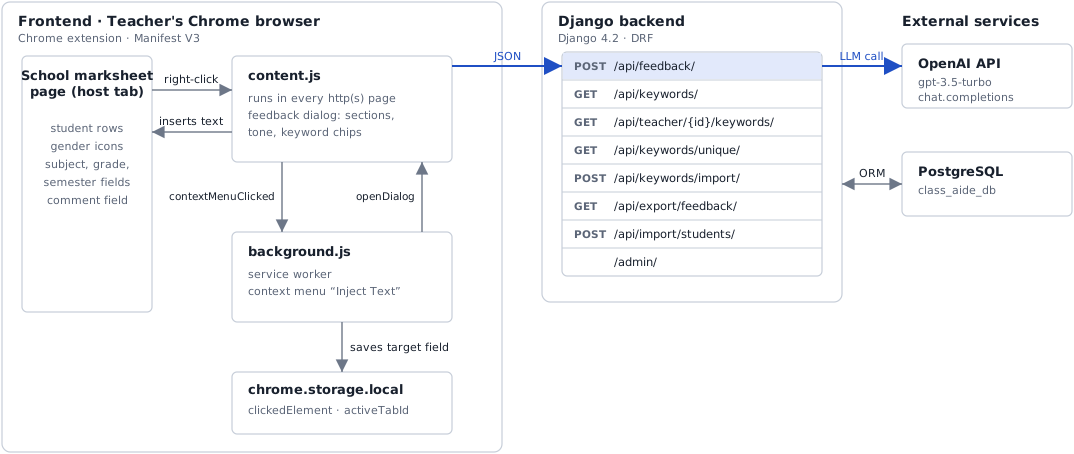
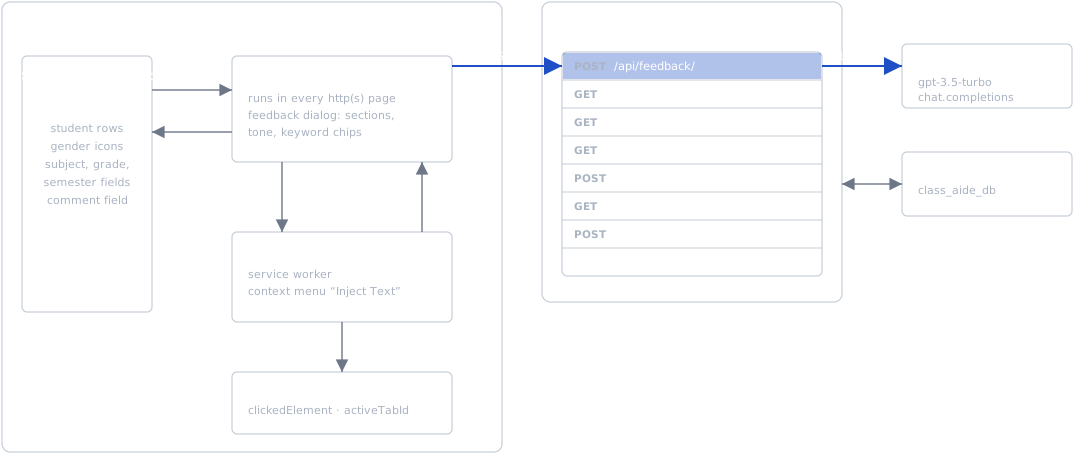
I also had to change the prompt that I sent to the OpenAI API, and make sure that no PII reached the API, because the data was about students. Now that the system supported subjects, keywords, students and feedback, I had to redesign the DB schema as well.
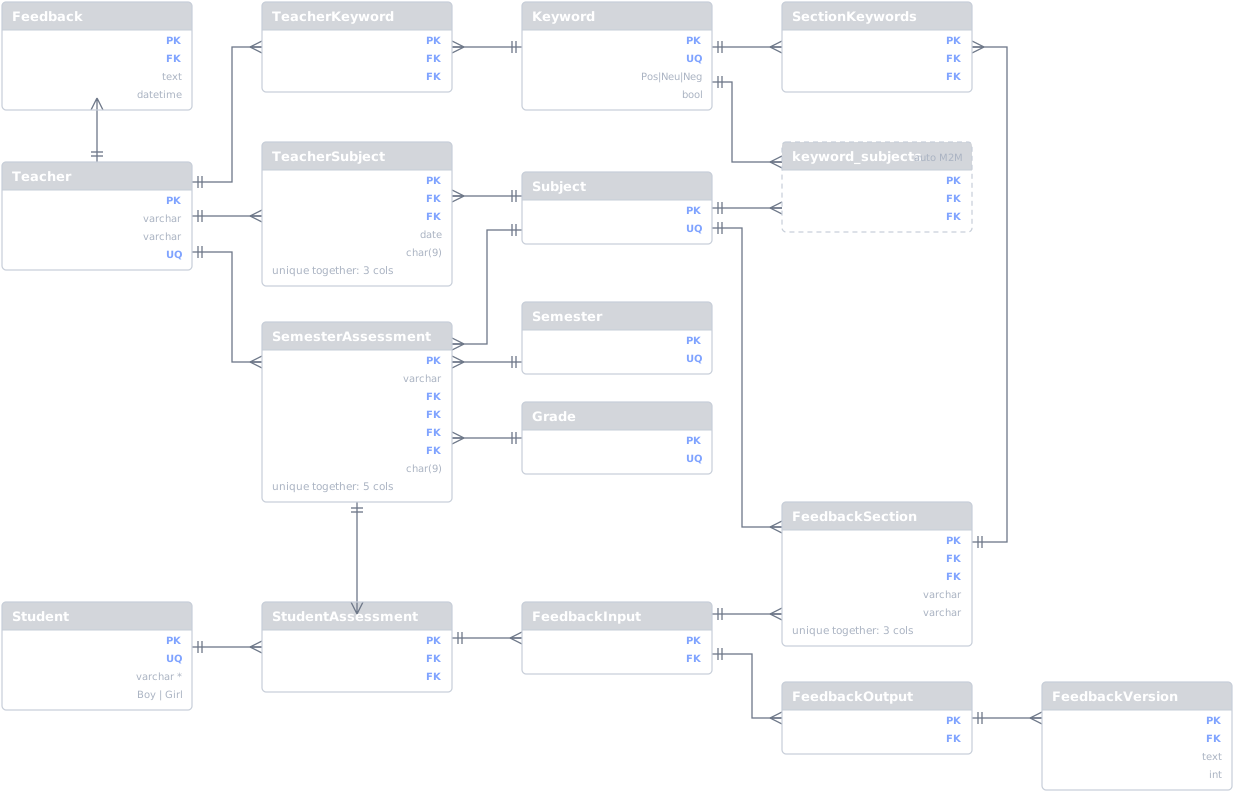
The DB schema looked like this: 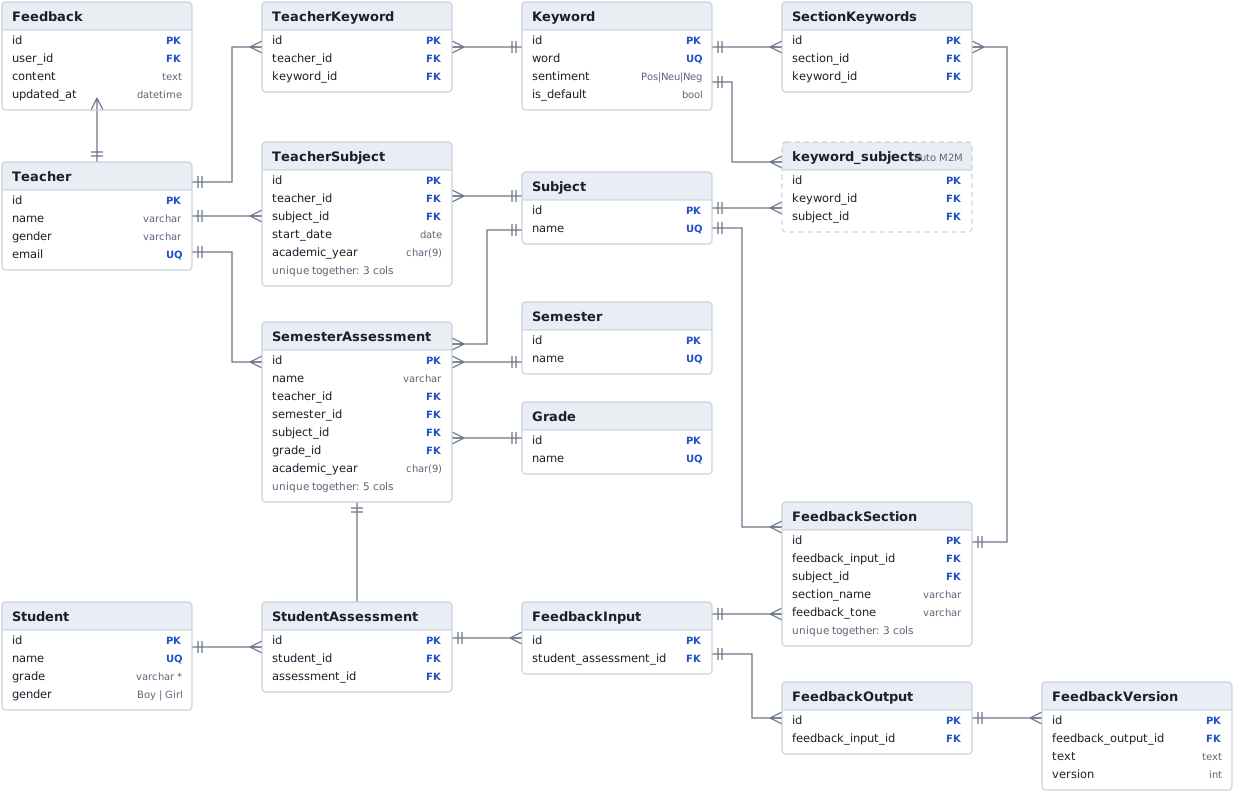
I did plan to release a more polished version of it to other teachers, but that plan never materialized.
Learnings.
It was a good experiment. Though it was not an out-of-this-world use case like the ones you see nowadays, I was able to solve a real problem. The generated reports were more personalized to each student. And I got a taste of what GPTs are capable of. Working with Chrome extensions, Django and DB schema design was fun.
I realized what else I could build with it. Chat APIs were just the beginning, and RAG and agents were around the corner. I'll write about it in my next article.